Andon Systems: Pull Cords, Stack Lights and Digital Andon Compared
Andon is one of the simplest lean tools: a signal that says "I have a problem and need help now". Its power comes not from the light or the cord, but from the response it triggers. Today plants can choose between pull cords, stack lights, buttons and fully digital andon systems with alerts on phones and smartwatches. This guide compares the options and explains how to design the system so that problems get solved, not just signalled.
What andon is
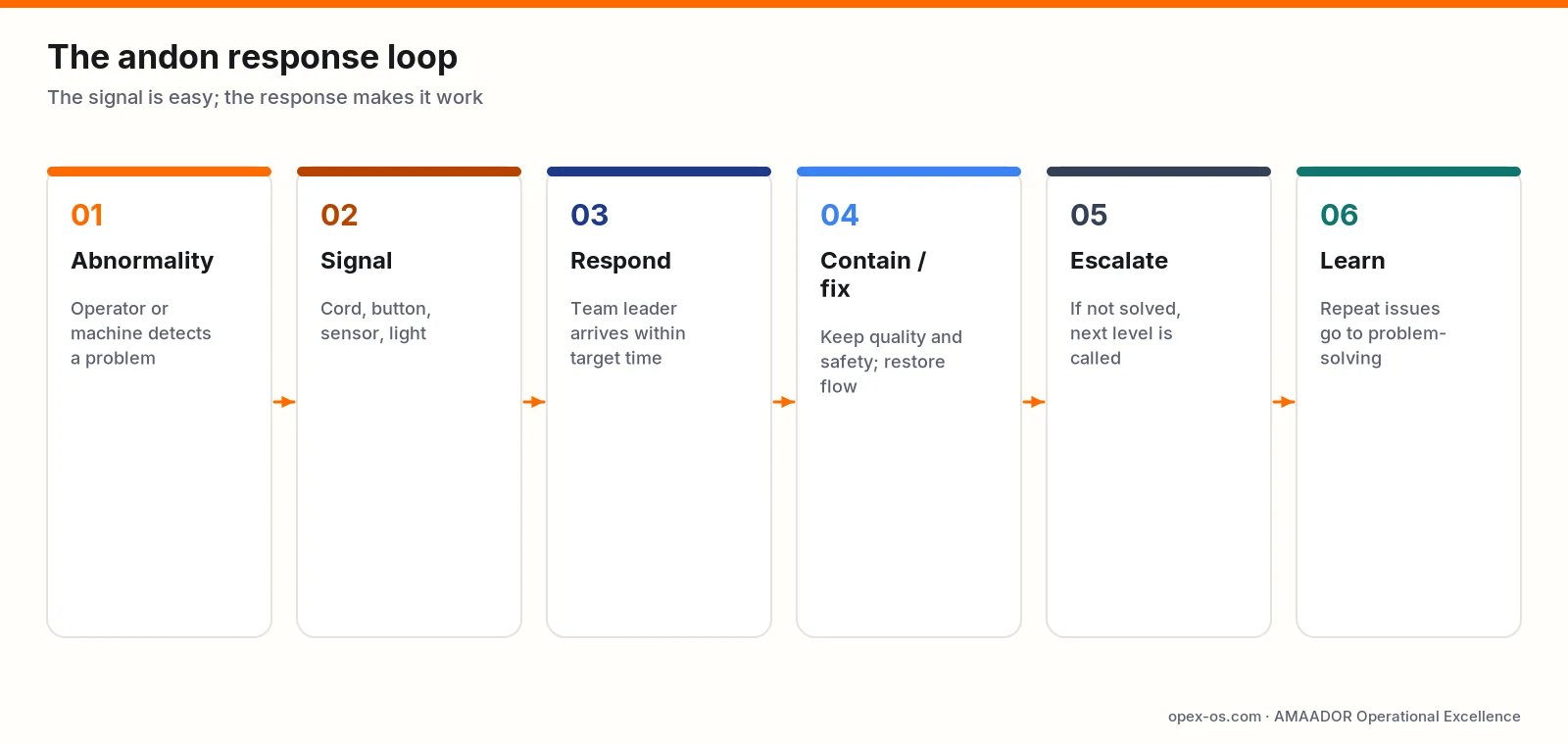
The Lean Enterprise Institute (LEI) defines andon as a visual management tool that highlights the status of operations in an area at a single glance and signals whenever an abnormality occurs. It can show production status, abnormalities such as machine downtime, quality problems, tooling faults, operator delays and material shortages, and needed actions such as changeovers. LEI explains that a typical andon, Japanese for "lamp", is an overhead board with numbers for workstations that light up when a machine sensor detects a problem or an operator pulls a cord or pushes a button, summoning a quick response from the team leader.
Toyota places andon within jidoka, "automation with a human touch": when equipment stops because of an abnormality, the andon lights up to notify workers, so people only need to respond when there is a problem. On lines without equipment, the andon lights when an operator pulls the stop cord, calling the person in charge for issues such as poor quality or delays. LEI describes Toyota's fixed-position stop: the line stops not immediately but when the product reaches the end of the workstation, so other stations are not disrupted.
Types of andon compared
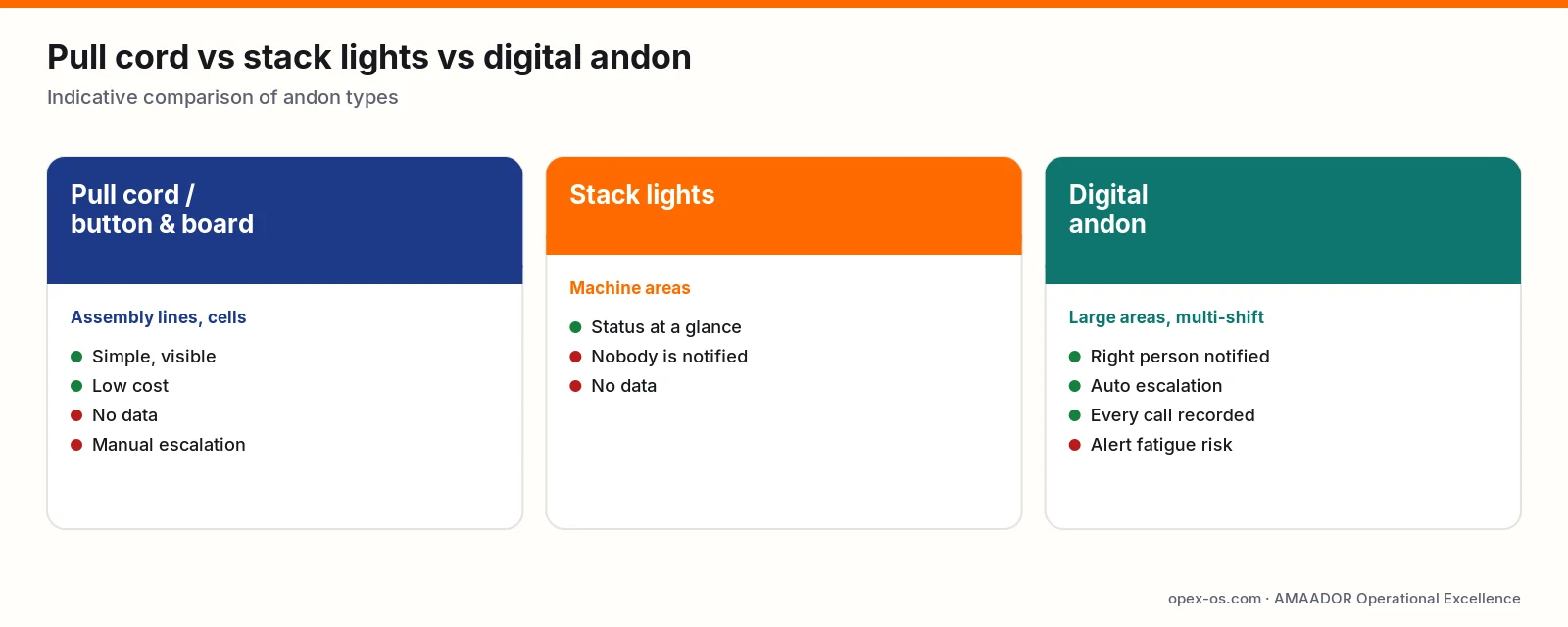
| Criterion | Pull cord or button with board | Stack lights on machines | Digital andon system |
|---|---|---|---|
| Trigger | Operator | Machine status (and sometimes operator) | Operator, machine or sensor |
| Who is notified | Whoever sees or hears it | Whoever sees it | Specific people by role, on screens, phones or watches |
| Escalation | Manual | None | Automatic after defined times |
| Data | None, unless logged by hand | None | Every call, response time and reason recorded |
| Cost and complexity | Low | Low to medium | Medium to high (software, network, devices) |
| Best for | Assembly lines, cells | Machine areas | Large areas, multi-shift, data-driven improvement |
Indicative comparison of approaches, not of specific products.
Designing the response process
An andon without a fast, reliable response teaches people that pulling it is pointless. Design the response first:
- Define abnormalities that justify a call: quality doubt, safety concern, missing part, equipment fault, falling behind takt.
- Name the responder for each type and shift, usually the team leader first.
- Set response times and an escalation ladder: team leader, then supervisor, then support functions.
- Thank the caller. The culture must treat a pulled cord as help, not blame.
- Contain, then solve: the immediate fix keeps the line running; repeat issues go to problem-solving.
- Review data daily in the tier meeting.
Pros and cons of digital andon
Pros: the right person is notified wherever they are, escalation happens automatically, and every call is recorded with response and resolution times, which feeds a loss Pareto. Cons: notification fatigue, dependence on network and devices, and the temptation to measure people rather than fix problems. Keep a visible signal at the line too, so the team sees the status.
Selection criteria
- Triggers available: buttons, cords, machine signals, tablets.
- Notification channels and rules by role, area and shift.
- Escalation timing configurable by the site.
- Reason capture that takes seconds.
- Reports: calls by type and station, response times, repeat issues.
- Integration with OEE monitoring, MES and CMMS for maintenance calls.
- Reliability: what happens if the network fails?
How to start
Start in one cell or line with a simple cord or button and a light, a clear responder and a stopwatch. Track calls on paper for a month alongside the hour-by-hour board. If calls are answered quickly and repeat problems get solved, the culture is ready to scale; then consider digital andon to extend reach and capture data. Estimate the value with the downtime cost calculator.
Questions to ask vendors
- Show a call from trigger to escalation to closure with a reason code.
- How long does it take to change responders or escalation times?
- What happens to calls when Wi-Fi or the server is down?
- Can andon calls create maintenance work orders automatically?
- How are response time reports presented, and can they be anonymized?
Cost and value
A cord, button and light cost little; the real investment is the time of responders and the discipline of the response process. Digital andon adds licences, devices and network work. The value comes from shorter stops, fewer defects passed downstream, and data that shows which problems recur. Estimate the cost of a typical stop on the line, then the number of small stops per shift; if faster response and better data could cut even part of that, the case for digital andon is usually clear on constraint lines.
Culture first
Andon only works if people feel safe to signal problems. Leaders must respond quickly, thank the caller and focus on the problem, never the person. In the first weeks, expect the number of calls to rise as hidden problems become visible. That is a sign the system is working. Track call volume, response time and repeat causes, and celebrate the problems solved because someone pulled the cord.
Common mistakes
- Installing lights without defined responders or response times.
- Blaming people who pull the cord.
- Collecting andon data that nobody reviews.
- Notifying everyone about everything, so alerts get ignored.
- Removing physical signals, so the team no longer sees the area status.
Related free tools
Sources and further reading
Frequently asked questions
What does andon mean?
Does pulling the andon cord always stop the line?
What is digital andon?
How fast should andon calls be answered?
Put it into practice
Free calculators and procedure generators for maintenance, reliability and continuous-improvement teams.
Explore the free tools →