Connected Worker Platforms: What They Do and How to Choose
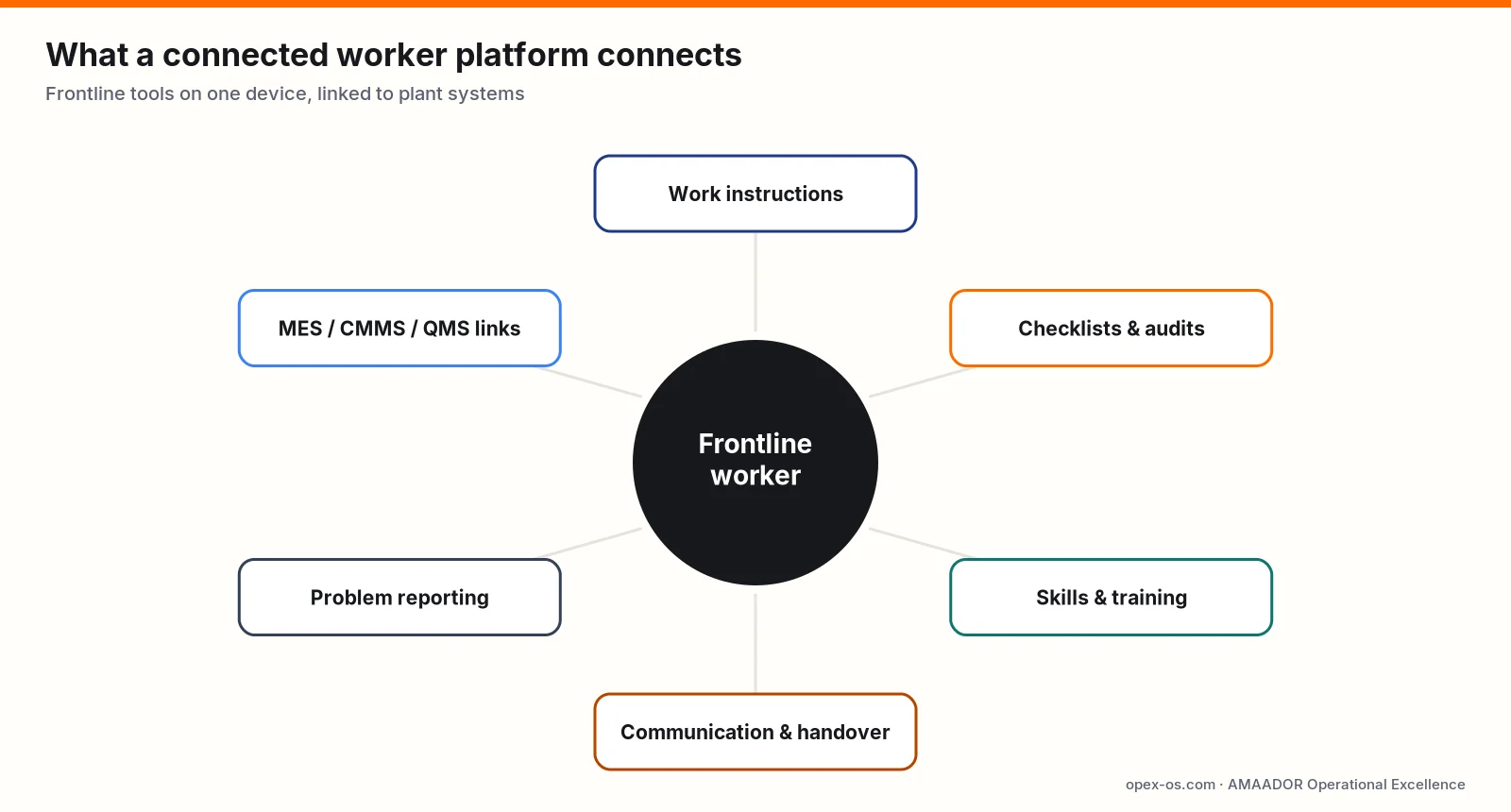
"Connected worker" platforms bring digital tools to frontline staff: work instructions, checklists, skills records, communication and problem reporting on phones, tablets or wearables. They promise faster training, fewer errors and better knowledge capture. This guide explains what they include, how they compare with separate point tools, what research says about the "Operator 4.0", and how to choose.
What a connected worker platform includes
- Digital work instructions: step-by-step procedures with photos and video, versioned and available at the point of use.
- Checklists and audits: start-of-shift checks, inspections, layered process audits, with timestamps and photos.
- Skills and training: skills matrices, on-the-job training and sign-offs linked to the instructions.
- Communication: team news, shift handover notes and messaging in a work context.
- Problem reporting: raising issues, near misses and ideas from the floor, with escalation.
- Integration: links to MES, CMMS, QMS and HR systems.
The research view: Operator 4.0
Researchers from Chalmers University of Technology and partners presented the idea of the "Operator 4.0" in a 2016 conference paper: a smart, skilled operator who performs not only cooperative work with robots but also work aided by machines as needed, through human cyber-physical systems, advanced human-machine interaction technologies and adaptive automation, aiming at "human-automation symbiosis". Connected worker platforms are one practical, software-led expression of that idea: technology that augments people rather than replacing them.
That fits a long-standing lean principle. Toyota describes jidoka as "automation with a human touch", where human wisdom is added to automation: equipment detects abnormalities and stops, or operators stop the line, so people respond to problems instead of watching machines. Good connected worker tools should help people detect, respond and improve, not just monitor them.
Platform vs point tools vs paper
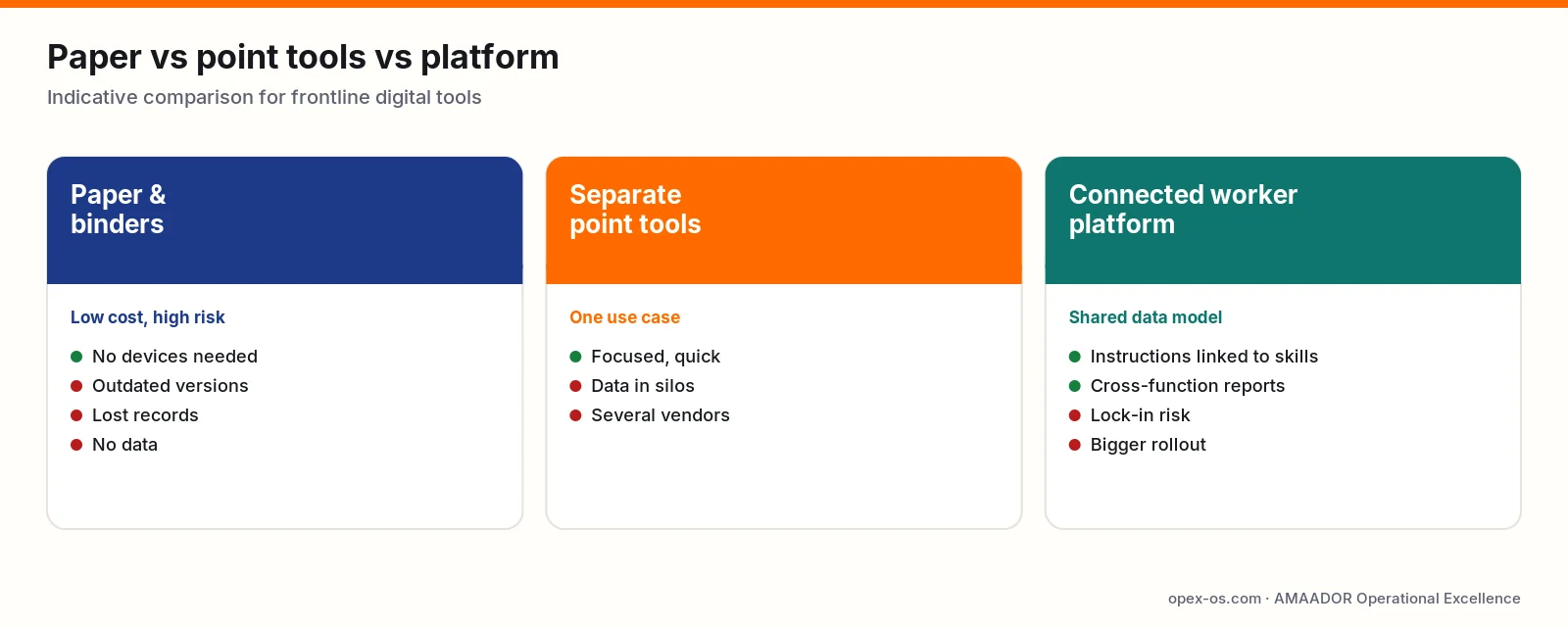
| Criterion | Paper and binders | Separate point tools | Connected worker platform |
|---|---|---|---|
| Work instructions | Printed, often outdated | Instruction app | Integrated, linked to skills and checks |
| Skills and training | Spreadsheet matrix | LMS or skills app | Linked to instructions and sign-offs |
| Checklists and audits | Paper forms | Form app | Same platform, shared data |
| Data across functions | Not available | Siloed in each tool | One data model, cross-reporting |
| Cost and complexity | Low | Several licences, several vendors | One licence, broader rollout |
| Risk | Errors, lost records | Integration gaps | Vendor lock-in, big-bang rollout |
Indicative comparison of approaches, not of specific products.
Benefits to look for
Typical goals are shorter time to competence for new hires, fewer errors from outdated instructions, faster response to problems, and captured expertise before experienced people retire. Measure them before and after rather than relying on vendor case studies: time for a new starter to work independently, first-pass yield on key tasks, response time to raised issues, and the share of instructions reviewed on time.
Selection criteria
- Content creation speed: can an engineer turn a procedure into a digital instruction in an hour, with photos from a phone?
- Usability on the floor: gloves, noise, lighting, languages, shared devices.
- Offline operation where Wi-Fi is weak.
- Version control and approvals that satisfy your QMS.
- Skills linkage: when an instruction changes, affected people are flagged for retraining.
- Integration with MES, CMMS and QMS so data is not duplicated.
- Privacy and works council requirements where personal data is involved.
- Total cost: licences per user or device, devices, content creation time.
The video is a vendor overview, included to show what such platforms look like in practice, not as an endorsement.
How to start
Pick one line and one painful knowledge problem, such as changeovers that vary by operator. Write clear standard work first; our work instructions generator and guide to AI-assisted SOPs help. Capture expert knowledge with the Know-How Kit, link it to a training matrix, and digitize the daily start-of-shift check. Measure the results for three months before scaling.
Questions to ask vendors
- Build one of our instructions live, with photos from a phone, and publish it.
- Show how a change to that instruction triggers retraining.
- What works offline, and how does sync handle conflicts?
- Which systems do you integrate with out of the box?
- How do customers measure results, and can we speak to one in our industry?
Cost and value
Costs include licences per user or device, the devices themselves with cases and chargers, Wi-Fi coverage, content creation and administration time, and integration work. Value comes from shorter onboarding, fewer errors, faster problem response and captured knowledge. A practical business case focuses on one or two measurable problems, such as the cost of errors on a changeover or the weeks a new hire needs to become independent, and projects benefits conservatively. Rolling out to one line first gives real numbers for the decision to scale.
Change management
Frontline adoption depends on trust and usefulness. Involve operators in designing instructions and checklists, explain clearly what data is collected and why, and make sure the tool saves them time from day one. Supervisors need time and training to create and maintain content. Where works councils or unions are involved, agree data use rules early. A platform that is seen as surveillance will be avoided; one that makes work easier will spread on its own.
Common mistakes
- Digitizing poor procedures instead of improving them first.
- Rolling out every module everywhere at once.
- No owner for content, so instructions age as fast as on paper.
- Using the platform mainly to monitor people, which destroys trust.
- Ignoring device logistics: charging, cases, cleaning, replacement.
Related free tools
Sources and further reading
- Chalmers University: Towards an Operator 4.0 Typology (Romero et al., 2016)
- Toyota: Toyota Production System (jidoka)
Frequently asked questions
What is a connected worker platform?
What is Operator 4.0?
Do we need a platform or separate tools?
How do we measure the value of a connected worker platform?
Can connected worker tools run on personal phones?
Put it into practice
Free calculators and procedure generators for maintenance, reliability and continuous-improvement teams.
Explore the free tools →