Low-Code Apps for Operations: Benefits, Risks and Governance
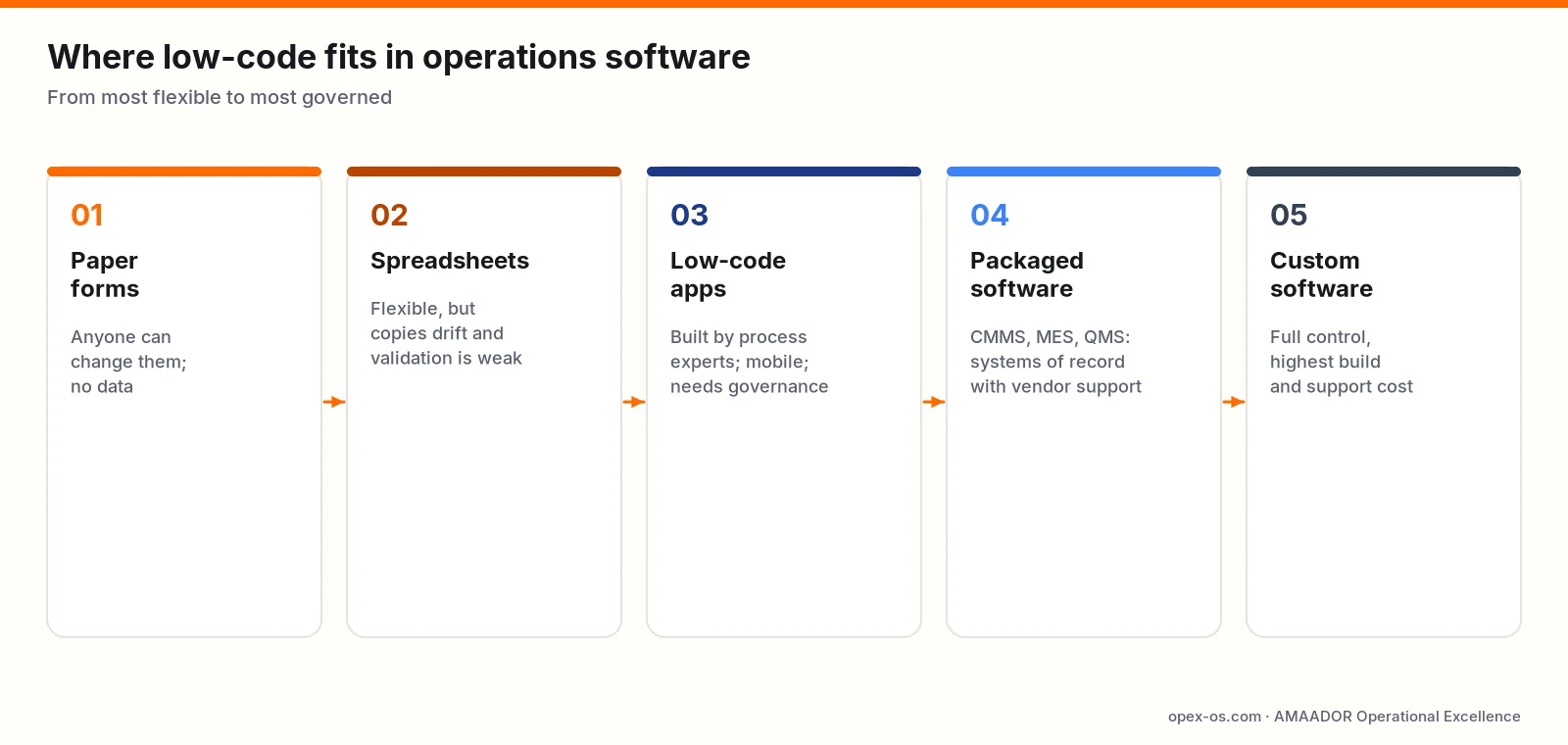
Low-code and no-code platforms let engineers, supervisors and quality staff build their own apps for inspections, logs, requests and simple workflows without traditional programming. For operations teams stuck between paper forms and long IT queues, that is attractive. It also creates new risks: data sprawl, security gaps and apps nobody can support. This guide explains where low-code fits, how it compares with spreadsheets and packaged software, and how to govern it.
What low-code means
The OWASP Low-Code/No-Code Top 10 project describes low-code/no-code platforms as development environments for creating application software through a graphical user interface instead of traditional hand-coded programming, reducing hand-coding and enabling faster delivery of business applications. It also states that as these platforms spread, there is a clear need for awareness of their security and privacy risks.
Microsoft's documentation describes its Power Apps product as a suite of apps, services and connectors plus a data platform that provides a rapid development environment for custom business apps that connect to business data. Other well-known platforms work on similar principles: drag-and-drop screens, prebuilt connectors to data sources, and simple logic.
Typical operations use cases
- Digital checklists and inspection rounds with photos and timestamps.
- Shift logs and handover notes.
- Work requests, problem reports and simple approval flows.
- Changeover or line-clearance records.
- Small dashboards that combine data from a few sources.
- Gap-fillers around a CMMS, MES or QMS where the packaged system is too rigid or too expensive to change.
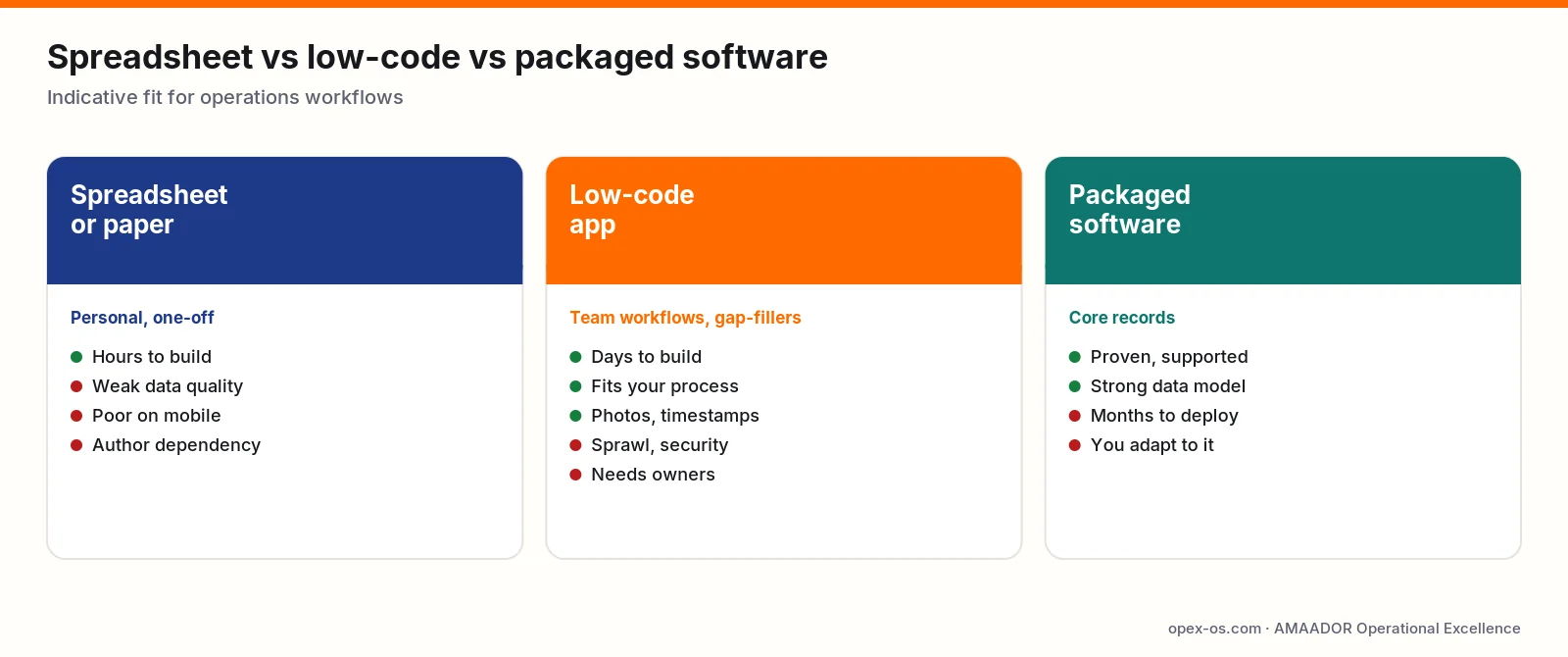
Spreadsheets vs low-code vs packaged software
| Criterion | Spreadsheet or paper | Low-code app | Packaged software (CMMS, MES, QMS) |
|---|---|---|---|
| Time to first version | Hours | Days to weeks | Months |
| Mobile use on the floor | Poor | Good | Good, if licensed |
| Data structure and validation | Weak | Good if designed well | Strong, predefined |
| Fit to your process | Total | High | Medium; you adapt to the product |
| Support and continuity | Depends on the author | Depends on governance | Vendor and IT |
| Best for | Personal or one-off tasks | Team workflows and gap-fillers | Core systems of record |
Indicative comparison of approaches, not of specific products.
Benefits
The main benefit is speed and fit. The people who understand the process build the tool, test it on the floor and change it the same week. Paper disappears, data becomes searchable, and photos and timestamps make records more credible. Low-code also lets you pilot a workflow cheaply before deciding whether a packaged system is needed.
Risks
- Security and privacy: broad data connections, shared accounts and over-permissive sharing are common. This is exactly the concern OWASP raises.
- App sprawl: dozens of overlapping apps with no owner.
- Key-person dependency: one enthusiast builds everything, then changes job.
- Shadow systems of record: safety or quality records that should live in the QMS or CMMS end up in an unmanaged app.
- Licensing surprises when premium connectors or many users are needed.
A simple governance model
- Classify apps by risk. Personal productivity, team workflow, or business-critical and regulated. The higher the class, the more review it needs.
- Define the systems of record. Assets and work orders live in the CMMS, quality records in the QMS. Low-code apps may capture data, but they should write it to the right home.
- Named owner and backup for every team or critical app.
- Environment rules: separate building and production environments, and data connection policies set by IT.
- Templates and standards: common look, naming, and reusable components so apps are easy to support.
- Review cadence: retire unused apps every quarter.
When to use low-code and when not
Use low-code when the process is specific to your site, changes often, and is not a regulated record on its own; when you need a pilot quickly; or when a packaged system lacks one small function. Avoid it for core transaction systems, for records that need validated audit trails unless the platform and your validation support that, and where a mature, affordable packaged product already does the job.
How to start
Pick a paper form that hurts, such as a start-of-shift check or an inspection round. Map who fills it, who reads it and what happens when something is wrong. Build the smallest app that improves that loop, test it on one shift, and measure time saved and issues caught. If you capture issues from chat groups today, the Chat-to-Log kit shows how to turn messages into a structured log before building anything.
Questions to ask before choosing a platform
- Which data sources can it connect to (ERP, CMMS, MES, file shares), and which connectors cost extra?
- Does it work offline on phones and tablets, then sync when the connection returns?
- How are user roles, sharing and data access controlled, and can IT set policies centrally?
- Are there separate environments for building and for live use?
- How are apps versioned and handed over if the builder leaves?
- What does it cost per user, per app and per premium connector at the scale you expect?
Measuring value
Measure each app against the problem it was built to fix: minutes saved per form, fewer missed checks, faster response to issues, fewer transcription errors. Keep a simple app register with owner, purpose, users, data sources and risk class, and review it quarterly. Retire apps that are no longer used. A small portfolio of well-used, well-owned apps is worth far more than a large catalogue of half-finished ones.
Common mistakes
- Digitizing a bad form instead of simplifying it.
- No owner, no backup, no documentation.
- Letting each team build its own version of the same app.
- Ignoring offline use where Wi-Fi is weak.
- Skipping IT and security until something goes wrong.
AI-assisted building
Platforms increasingly add AI assistants that generate apps from a description; Microsoft, for example, documents a copilot-first way to create solutions in Power Apps by describing the use case in natural language. That makes building faster, but it does not remove the need for design review, data rules and an owner. Faster building makes governance more important, not less.
Related free tools
Sources and further reading
Frequently asked questions
What is the difference between low-code and no-code?
Is low-code safe for operations data?
Should low-code replace our CMMS or QMS?
Who should build low-code apps?
How do we stop low-code app sprawl?
Put it into practice
Free calculators and procedure generators for maintenance, reliability and continuous-improvement teams.
Explore the free tools →