
Document Control Software vs Shared Drives: How to Choose
Every management system depends on people using the right version of the right document. Yet many sites still run document control on a shared drive with folders named "FINAL" and "FINAL v2". This guide explains what document control must achieve, compares shared drives, general collaboration platforms and dedicated document control software, and sets out the criteria and pitfalls for choosing.
What document control must achieve
Whatever the standard, document control comes down to a few outcomes: documents are reviewed and approved before use, the current version is available where work happens, obsolete versions are prevented from unintended use, changes are identified, and records are kept, protected and retrievable. The tool is only a way to achieve those outcomes reliably.
The UK Health and Safety Executive (HSE) notes that problems with procedures are linked to numerous incidents and frequently cited as causes of major accidents, and that the inadequate management of procedures contributed to disasters such as Bhopal, Piper Alpha and Clapham Junction. HSE advises having a system for managing procedures, covering how to decide which tasks need procedures and how they are developed, complied with, reviewed and updated, and stresses involving users and using a format and level of detail appropriate to the user, task and consequences of failure.
Regulated electronic records
In FDA-regulated industries, 21 CFR Part 11 covers electronic records and electronic signatures. FDA's guidance on its scope explains that the agency interprets Part 11 narrowly and intends to exercise enforcement discretion for certain requirements, including validation, audit trails, record retention and record copying, while predicate rule requirements still apply. It recommends basing decisions on audit trails and similar controls on predicate rules, a justified and documented risk assessment, and the potential effect on product quality, safety and record integrity. If you are regulated, document control software choices must be part of that risk assessment.
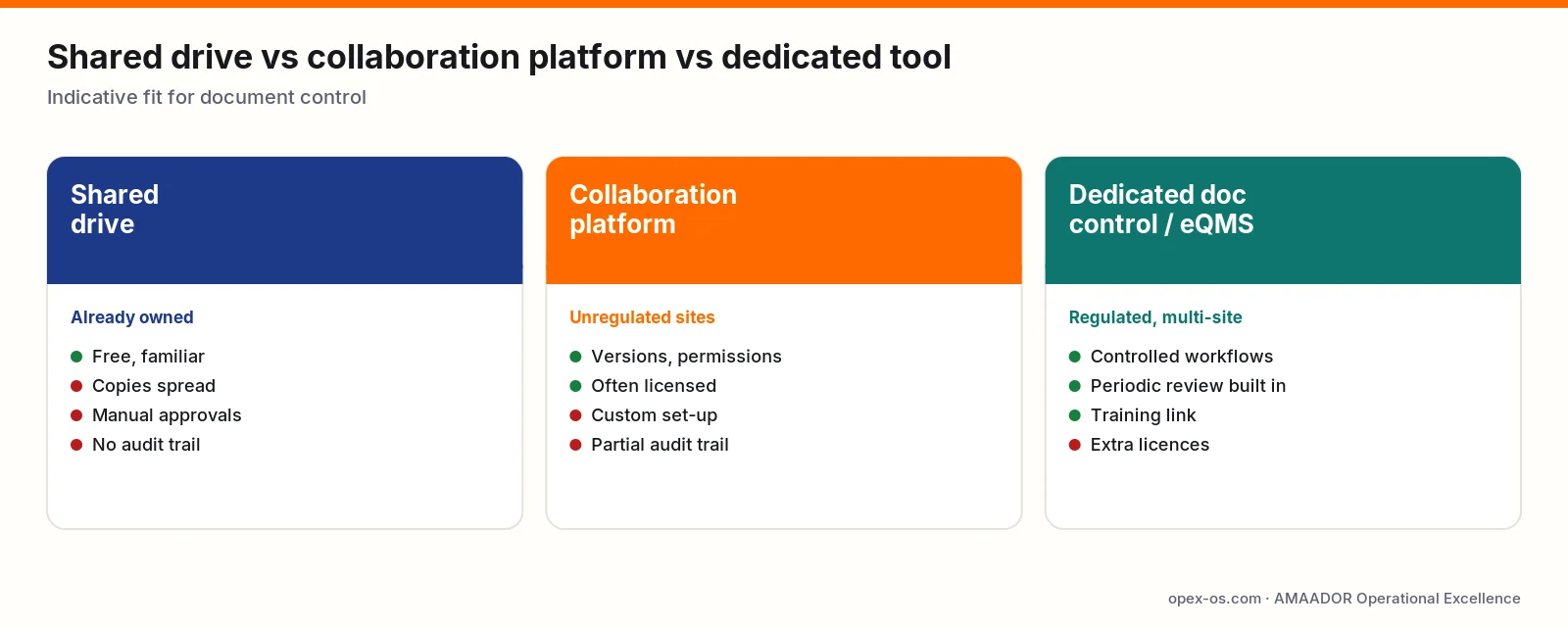
Options compared
| Criterion | Shared drive | Collaboration platform (SharePoint-style) | Dedicated document control or eQMS |
|---|---|---|---|
| Approval workflow | Email and signatures on paper | Configurable flows | Built in, with electronic signatures |
| Version control | Manual naming | Automatic versions | Controlled major and minor revisions |
| Obsolete versions | Easy to copy and keep | Can be restricted with effort | Withdrawn automatically |
| Periodic review | Calendar reminders | Possible with configuration | Built in, with escalation |
| Training on new versions | Separate, manual | Separate or custom | Often linked automatically |
| Audit trail and validation | None | Partial, configuration-dependent | Designed for it |
| Cost | Already owned | Often already licensed | Additional licences |
Indicative comparison of approaches, not of specific products.
Pros and cons
Shared drives are free and familiar but rely on discipline. Copies spread, local printouts live forever and nobody knows which version is current.
Collaboration platforms are often already licensed and can work well for unregulated sites with a good administrator, using versioning, metadata, permissions and approval flows. The risk is a custom set-up that only one person understands.
Dedicated document control or eQMS software provides controlled workflows, periodic reviews, read-and-understood tracking and audit trails out of the box. It costs more and needs configuration, but reduces the effort to prove control in audits. See our QMS software guide for the wider system.
Selection criteria
- Workflow fit: draft, review, approve, release, with parallel or sequential reviewers.
- Point-of-use access: how operators find the current procedure on the floor, on a terminal, tablet or QR code.
- Controlled printing: watermarks or expiry for printed copies.
- Change visibility: highlighted changes and reasons for change.
- Training link: automatic assignment of read-and-understood tasks.
- Search and metadata: by process, area, equipment and document type.
- Records retention: rules by record type, legal holds, export.
- Validation and electronic signatures if regulated.
Preparing for migration
- Build a complete register with our document register tool: owner, status, last review, location.
- Agree a file naming and numbering convention.
- Review and retire before migrating: many sites find a large share of documents obsolete or duplicated.
- Rewrite the most-used procedures to be usable, using the SOP generator and work instructions generator.
- Link changes to management of change where processes or equipment change.
Questions to ask vendors
- Show a procedure revision from draft to release, including training assignment.
- How do operators reach the current version at the workstation without logging in to an office system?
- How are obsolete versions withdrawn, including printed copies?
- What audit trail is kept, and how is it protected?
- Can we export all documents and metadata if we leave?
Cost and value
The cost of document control software includes licences, configuration, migration and, for regulated users, validation. The cost of weak document control is less visible: time spent searching for the current version, audit findings, rework when people follow outdated instructions, and, at worst, incidents. A simple way to build the case is to sample twenty documents in use on the floor and check whether each is the current approved version, then estimate how much time supervisors and quality staff spend each week chasing approvals and reviews. Those two numbers usually settle the debate.
Roles that make it work
Every document needs an owner who understands the process, not just an author. A document controller or system administrator maintains the system, numbering and workflows. Reviewers should include at least one user of the procedure. Managers must approve promptly; slow approvals are one of the main reasons people bypass the system. Make the rules for who may create, review, approve and retire documents part of your document control procedure.
Common mistakes
- Migrating everything, including obsolete and duplicate documents.
- Approval chains so long that people work around them.
- Procedures written for auditors, not users.
- No periodic review, so documents drift from practice.
- Uncontrolled printouts taped to machines.
Related free tools
Sources and further reading
- UK HSE: Human factors, procedures
- FDA guidance: Part 11, Scope and Application
- eCFR: 21 CFR Part 11, Electronic Records; Electronic Signatures
Frequently asked questions
What is document control?
Can SharePoint be used for document control?
Does FDA Part 11 apply to all electronic documents?
How often should procedures be reviewed?
What is the difference between a document and a record?
Put it into practice
Free calculators and procedure generators for maintenance, reliability and continuous-improvement teams.
Explore the free tools →