APS Scheduling Software vs MRP and Spreadsheets
Production schedulers in many plants juggle ERP output, a large spreadsheet and constant phone calls. Advanced planning and scheduling (APS) software promises feasible schedules that respect machines, people and materials at the same time. This guide explains what APS does, how it compares with MRP and spreadsheets, how it fits with lean scheduling, and what to check before buying.
What APS does
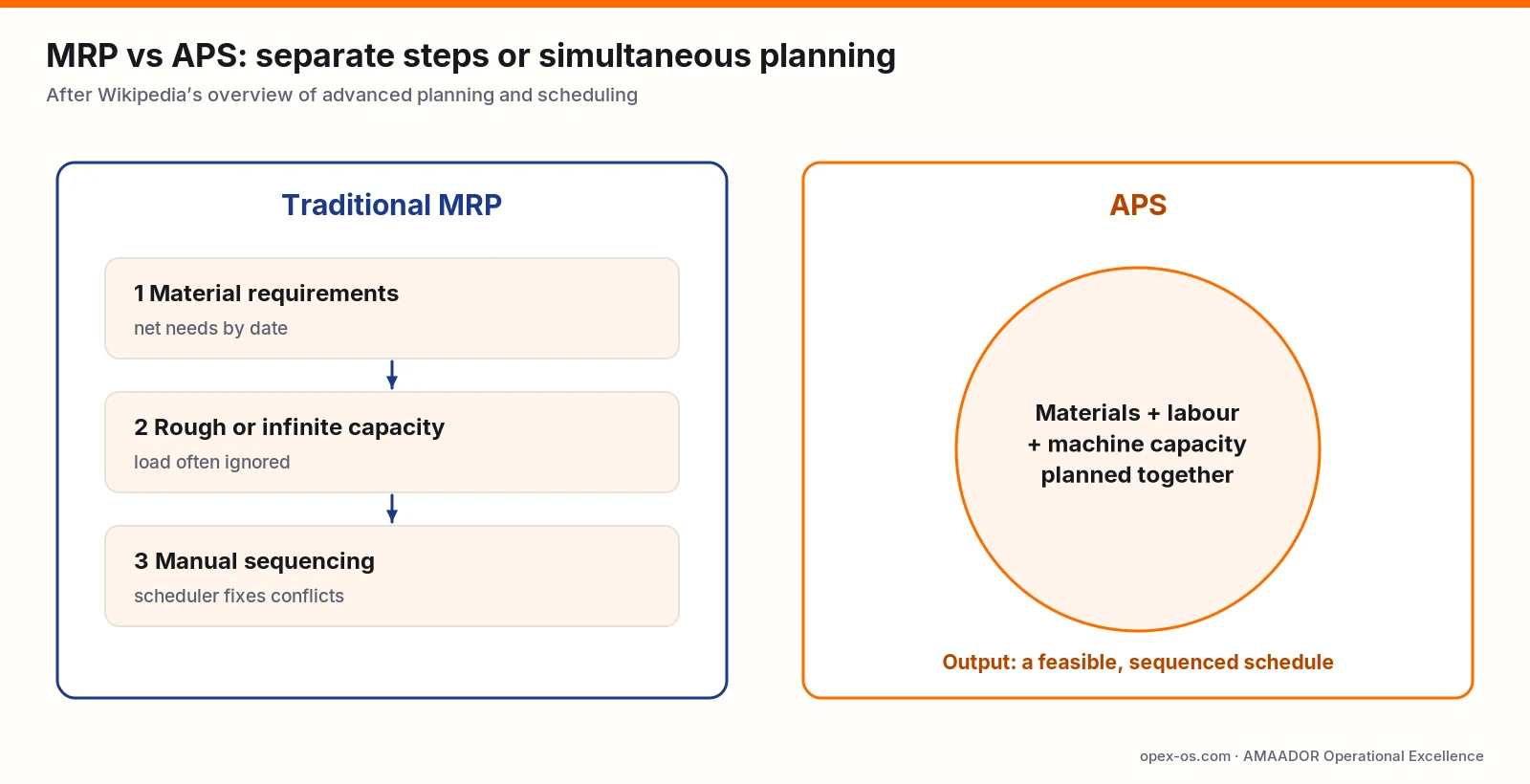
Wikipedia's overview of advanced planning and scheduling explains that traditional planning systems use a stepwise procedure to allocate material and production capacity: simple but cumbersome, slow to adapt to changes in demand, capacity or material availability, and often producing infeasible plans because materials and capacity are planned separately and constraints are ignored. APS, in contrast, simultaneously plans and schedules production based on available materials, labour and plant capacity.
The same source notes that APS is commonly applied where many products compete for plant capacity and where frequent, unpredictable schedule changes are needed. Production scheduling is intrinsically difficult because the number of possible sequences grows very quickly with the number of products and resources, which is why software can help.
MRP vs spreadsheets vs APS
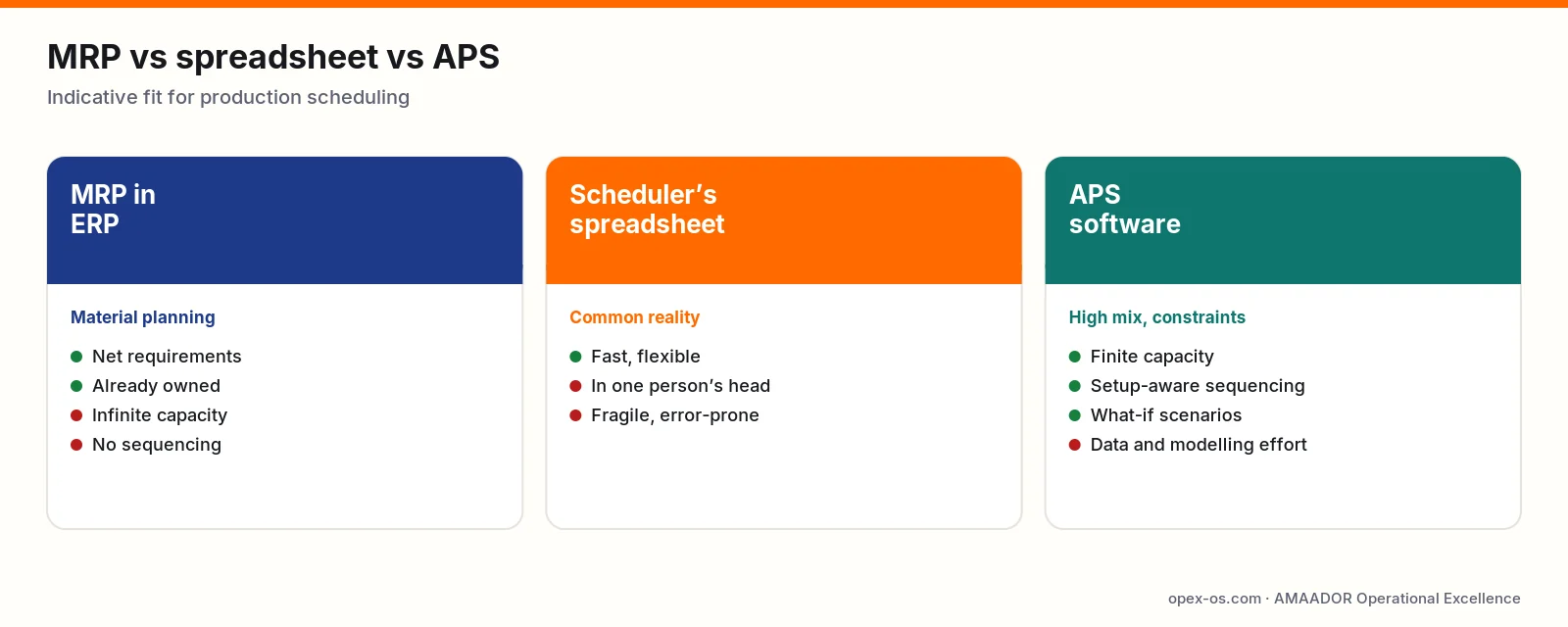
| Criterion | MRP in ERP | Scheduler’s spreadsheet | APS software |
|---|---|---|---|
| Capacity | Usually infinite or rough-cut | Whatever the scheduler models | Finite, by machine, crew and shift |
| Sequencing and changeovers | Not addressed | Manual, from experience | Optimized with setup rules |
| Materials | Strong (net requirements) | Manual checks | Considered together with capacity |
| Reaction to change | Next MRP run | Fast but fragile | Re-schedule in minutes, what-if scenarios |
| Knowledge | In the system | In one person’s head | Rules captured in the model |
| Effort | Already owned | Low cost, high daily effort | Licences, modelling, data quality |
Indicative comparison of approaches, not of specific products.
When APS pays and when it does not
APS tends to pay when you have many products sharing constrained resources, sequence-dependent changeovers, multi-stage routings, frequent rush orders, or tight due dates with expensive late penalties. It pays less for simple flow lines making a few products at a steady rate, where a levelled plan and visual pull signals do the job.
The Lean Enterprise Institute describes heijunka as levelling the type and quantity of production over a fixed period, so customer demand is met efficiently while avoiding batching and minimizing inventories, capital costs, manpower and lead time. LEI warns that long batch runs expand lead times, swell work in progress, hide defects and create uneven workloads. A good APS should support levelled, small-batch schedules, not just optimize machine utilization with big batches.
Selection criteria
- Model fit: can it represent your routings, resources, crews, tools, setup matrices and calendars?
- Data quality needs: APS is only as good as routings, cycle times and setup times. Check what you have.
- Integration with ERP (orders, materials) and MES (actual progress) in both directions.
- Scheduler control: drag-and-drop overrides with immediate feasibility checks.
- What-if scenarios for rush orders, breakdowns and overtime.
- Objectives: can you weight due dates, changeovers, levelling and inventory, not just utilization?
- Speed and usability for daily rescheduling.
How to prepare
- Measure current performance with our schedule adherence tool.
- Check load against capacity with the rough-cut capacity and capacity load tools.
- Collect setup times and optimal sequences, for example with the changeover sequence tool, and reduce them with SMED.
- Set planning time fences so the near-term schedule is stable.
Questions to ask vendors
- Load our real data for one area and produce a schedule live.
- Show what happens when a key machine breaks down at 10:00.
- How are setup matrices maintained, and by whom?
- How does the schedule update from actual production in the MES?
- What does implementation need from our side: data, people, time?
Pros and cons
Pros: feasible schedules, fewer late orders, fewer changeovers, faster replanning, and scheduling knowledge captured in a system instead of one person's head. Cons: significant modelling and data effort, risk of over-optimizing for utilization, and resistance if schedulers are not involved. Keep the near-term schedule frozen enough for the floor to execute.
APS also changes the scheduler's job. Less time goes into building the sequence by hand, and more into managing exceptions, checking material and tooling readiness, and coordinating with maintenance and sales. Plan for that shift in skills and responsibilities rather than expecting the same role with a new tool.
Implementation roadmap
- Define the scope: which plant, which resources, which planning horizon. Start with the constraint area.
- Clean the data: routings, cycle and setup times, calendars, crew skills. Compare standards with recent actuals.
- Model and validate: run APS in parallel with the current method for several weeks and compare feasibility, lateness and changeovers.
- Go live with the scheduler in control: APS proposes, the scheduler decides, and overrides are recorded so the model can learn.
- Close the loop: feed actual progress from the floor back into the schedule daily.
Cost and value
Costs include licences, integration with ERP and MES, data clean-up and the time of planners, engineers and IT during modelling. Value typically comes from improved on-time delivery, fewer or shorter changeovers, lower work in progress and less overtime or expediting. Estimate the current cost of late orders, expediting and changeover time before talking to vendors, so you can judge proposals against your own numbers rather than generic claims.
Common mistakes
- Buying APS to fix bad master data.
- Rescheduling every hour, so the floor never knows the plan.
- Optimizing machine utilization while lead times and inventory grow.
- Leaving the expert scheduler out of the project.
Related free tools
Sources and further reading
Frequently asked questions
What is the difference between MRP and APS?
Does lean replace APS?
What data does APS need?
How often should we reschedule?
Can APS work without an MES?
Who should own the APS model?
Put it into practice
Free calculators and procedure generators for maintenance, reliability and continuous-improvement teams.
Explore the free tools →