LMS for Frontline Training: What Works on the Shop Floor
Most learning management systems were designed for office workers with laptops and quiet time. Frontline teams in plants, warehouses and field service have neither. They learn mostly on the job, in short bursts, with a supervisor or experienced colleague. This guide compares the main software options for frontline training, explains the SCORM and xAPI standards in plain language, and shows how to connect training records to real competence.
Why frontline training is different
Frontline staff often share devices or have none, work in noise and gloves, and cannot leave the line for an hour of e-learning. What matters is not course completion but whether a person can perform a task safely and correctly, which is proven by observation, not by a quiz. Training software for these teams must therefore support short content, mobile or kiosk access, and on-the-job sign-offs.
The software options
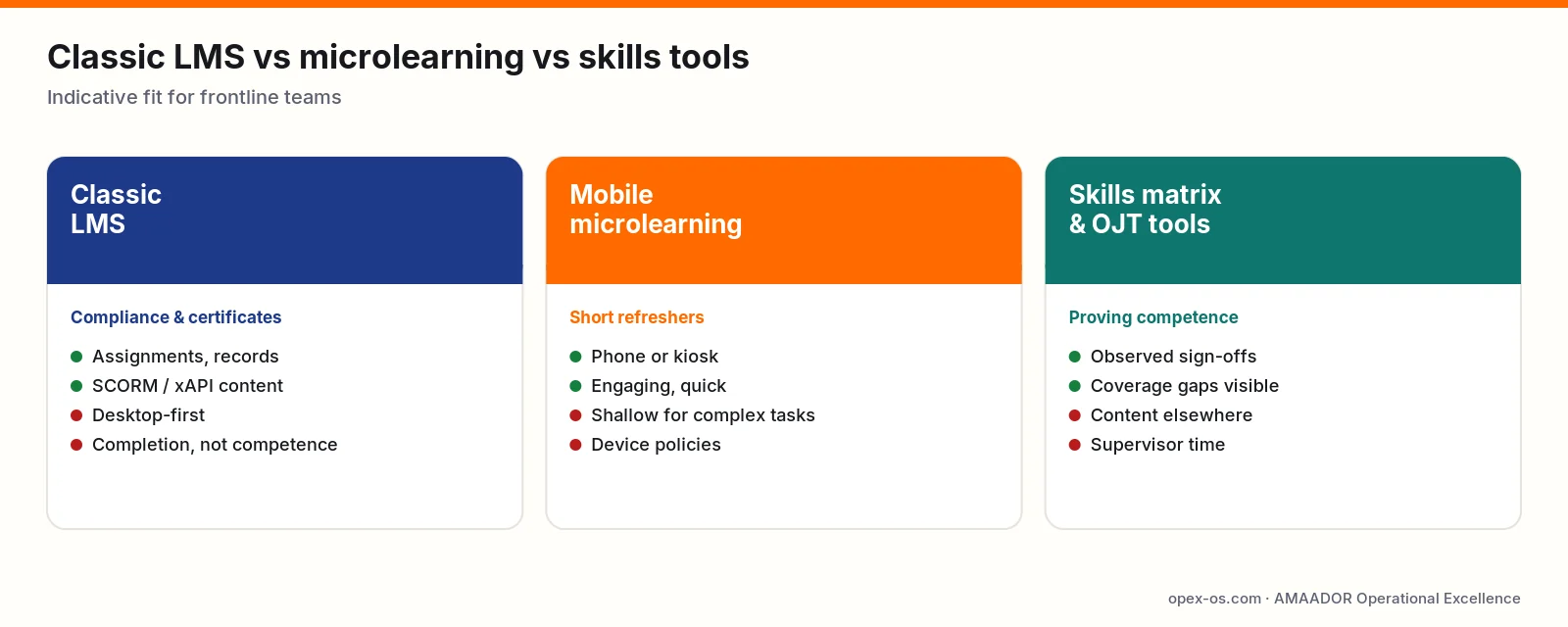
- Classic LMS: hosts courses, assigns them, tracks completion and scores. Strong for compliance training and certificates.
- Mobile microlearning platforms: short lessons, quizzes and reminders on phones, often with messaging features.
- Skills and competence tools: skills matrices, on-the-job training records and supervisor sign-offs, sometimes built into connected worker or QMS platforms.
- Digital work instructions: step-by-step guidance at the point of use, which doubles as training content.
Options compared
| Criterion | Classic LMS | Mobile microlearning | Skills matrix and OJT tools |
|---|---|---|---|
| Best at | Compliance courses, certificates | Short refreshers, engagement | Proving competence on tasks |
| Access on the floor | Often desktop-first | Phone or kiosk | Tablet with supervisor |
| Records | Completion, scores | Activity, quiz results | Observed sign-offs, levels |
| Standards | SCORM, often xAPI | Often xAPI or proprietary | Usually proprietary |
| Weak spot | Low usage by frontline | Shallow for complex tasks | Content creation |
Indicative comparison of approaches, not of specific products.
SCORM and xAPI in plain language
According to Rustici Software's SCORM reference site, SCORM stands for Sharable Content Object Reference Model. It defines how to create units of online training that can be reused across systems, and is a reference model built from existing standards rather than a single standard written from scratch. Content created once can run in many systems without modification.
The xAPI overview on xapi.com explains that xAPI (the Experience API, also known as Tin Can) records learning activities as statements in the form "noun, verb, object" ("I did this"), stored in a learning record store (LRS), which can exist on its own or inside an LMS. That makes xAPI suitable for recording real-world activities, simulations, mobile and offline learning, not just online courses. For frontline training, xAPI matters because it can capture on-the-job events such as "Fatima completed supervised changeover on line 2".
Selection criteria
- Access model: shared kiosks, personal phones (with policies and possibly pay for time), or tablets with supervisors.
- Languages and literacy: multilingual content, audio and video, and simple interfaces.
- On-the-job sign-off: supervisors can record observed competence by task and level.
- Link to roles and documents: when a procedure changes, the affected people get retraining automatically, ideally connected with the QMS.
- Content authoring: how easily engineers and trainers can turn work instructions into short lessons.
- Standards and export: SCORM and xAPI support, and export of training records.
- Reporting: skills coverage by line and shift, not just completion rates.
Connecting training to competence
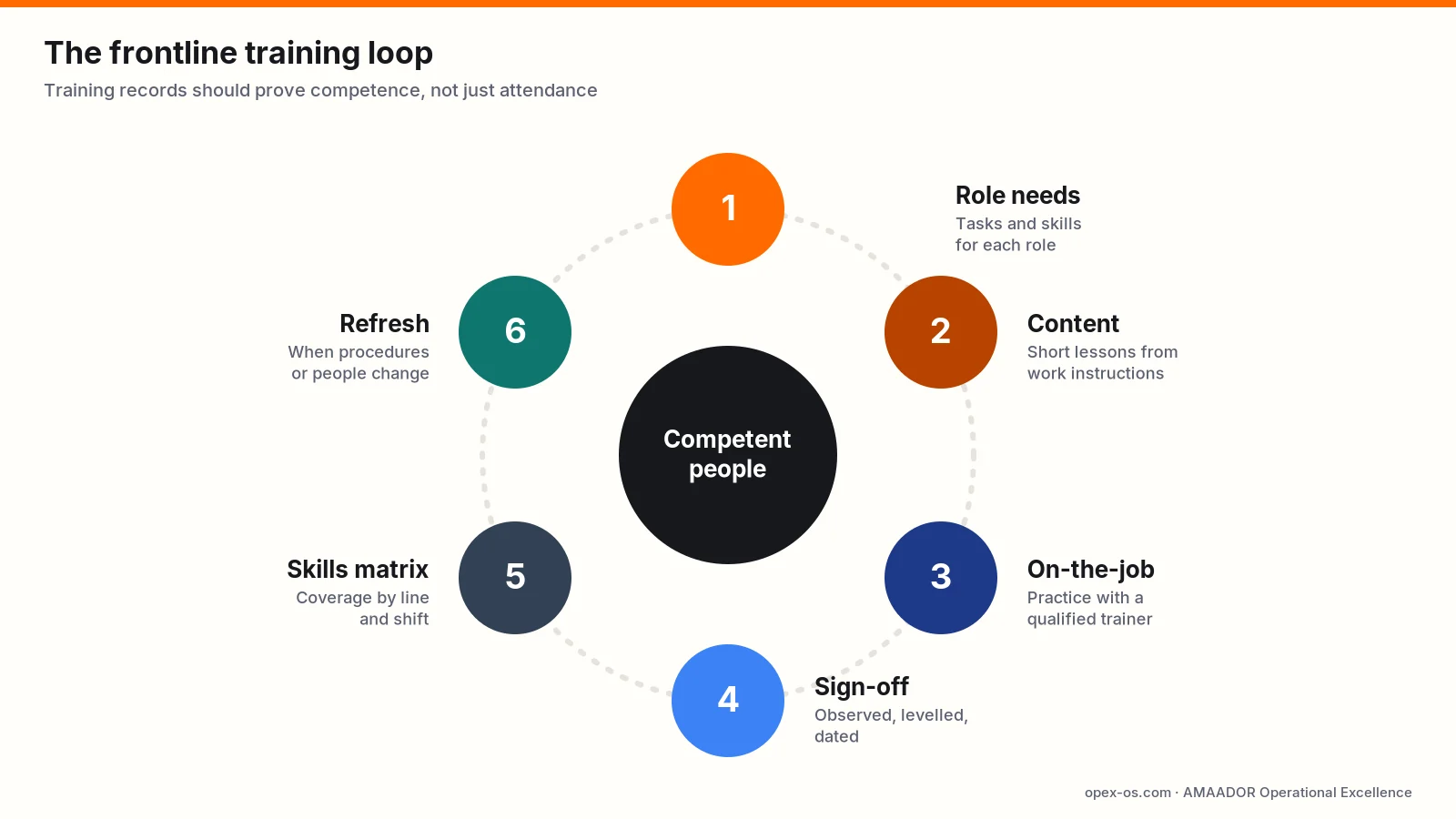
The most useful single view for a frontline manager is a skills matrix: people against tasks, with levels from "in training" to "can train others". It shows where one absence would stop a line. Build it with our skills matrix generator or the Training Matrix kit, record on-the-job training with the OJT record, and measure flexibility with the skills versatility tool. Good standard work, such as clear work instructions, is the content base for all of it.
Pros and cons of a frontline LMS
Pros: consistent content, automatic assignments and reminders, audit-ready records, and data on gaps. Cons: low usage if access is awkward, a focus on completion over competence, and content that ages quickly. Treat the system as support for supervisors and trainers, not a replacement for them.
How to start
- Pick one area and list its critical tasks.
- Build the skills matrix and identify single points of failure.
- Create short content for the top tasks from existing procedures.
- Train supervisors to deliver and sign off on-the-job training.
- Only then choose software that fits the routine you have proven.
- Evaluate effect with our training ROI tool.
Questions to ask vendors
- Show a supervisor recording an on-the-job sign-off on a tablet in under a minute.
- How does the system handle shared devices and workers without company email addresses?
- What happens to assignments when a procedure is revised?
- Which languages are supported, and can content include audio and video?
- Which standards do you support (SCORM versions, xAPI), and can we export all records?
- What does it cost per active user, and how is an "active user" defined?
Measuring impact
Completion rates are easy to report and say little about performance. Better measures for frontline training include time for a new starter to reach independent work on key tasks, skills coverage per line and shift, the number of single points of failure in the skills matrix, and quality or safety incidents linked to lack of training. Review these measures with supervisors monthly. When a gap appears, decide whether it needs new content, more on-the-job practice or a clearer standard, rather than assigning another course by default. Share the results with the trainers too: they know which tasks are hard to learn and which instructions confuse people, and their feedback is the fastest way to improve both content and standards.
Common mistakes
- Measuring course completions instead of competence.
- Hour-long modules for workers who have ten minutes.
- No time in the shift plan for training.
- Records that do not update when procedures change.
Related free tools
Sources and further reading
Frequently asked questions
Do frontline workers need an LMS?
What is the difference between SCORM and xAPI?
What is microlearning?
How do we prove a worker is competent?
Should frontline workers use their own phones for training?
Put it into practice
Free calculators and procedure generators for maintenance, reliability and continuous-improvement teams.
Explore the free tools →